
Update 2025-10-24: Please also refer to the subsequent post linked in the pingback comments for binaries compiled by GitHub Actions.
So I’ve been using ZeroTier for the last 2 or so years, and it’s been pretty good: it provides a stable VPN for connecting my resources across sites and doing things like syncing files. I have it installed on my Ubuntu server at my parents’ and brother’s places to allow it to act as the primary VPN gateway for the devices on those networks, while I have it installed on my Ubiquiti UDR at my place. I also just recently replaced my brother’s Google Wi-Fi with a UniFi Express, so I thought it would be a good time to revisit the ZeroTier packages for Ubiquiti.
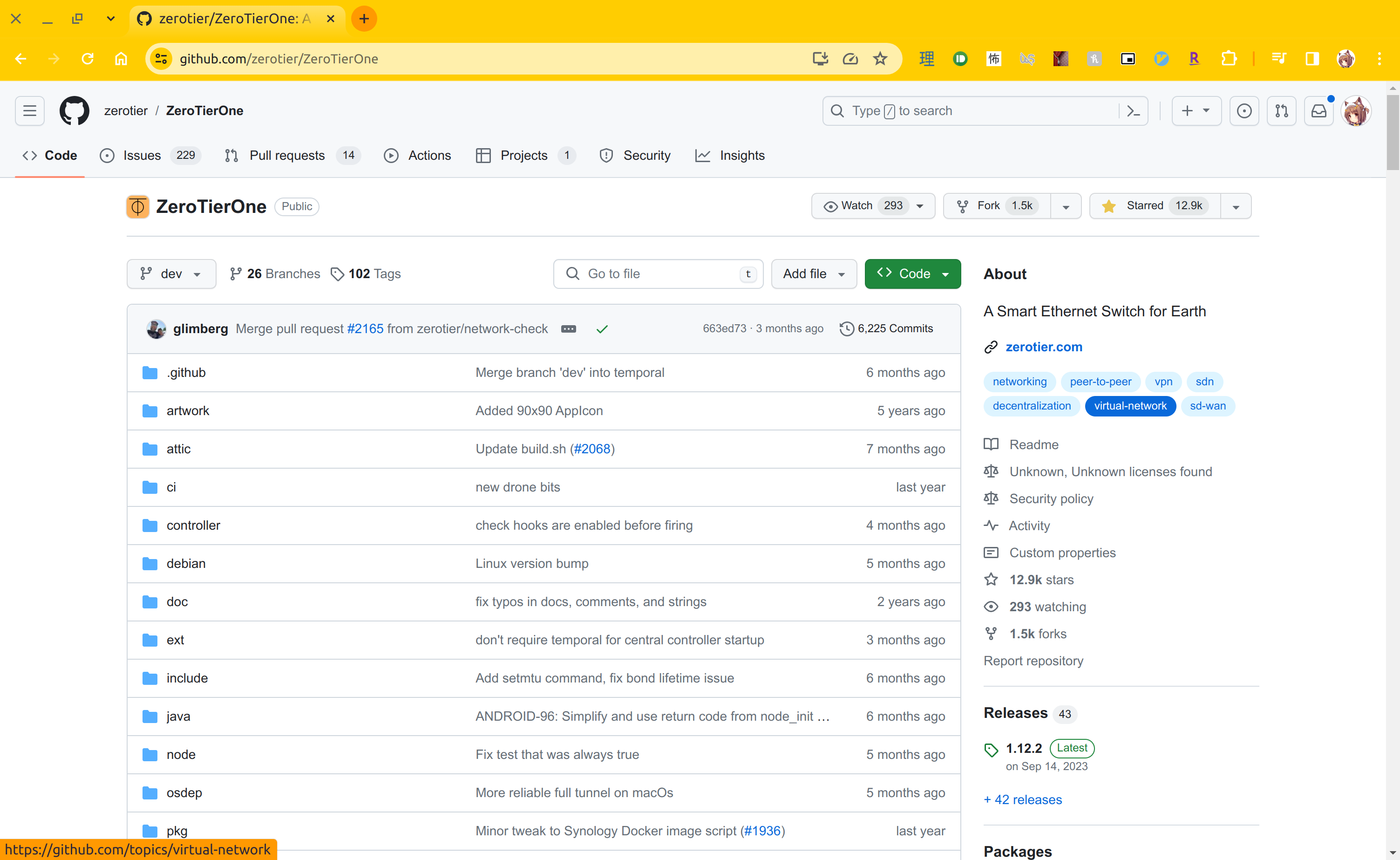
The ZeroTier binary/package release for Ubiquiti devices is now a few years old: The last release for Ubiquiti was back in early 2022 for 1.8.4. Since the source code for ZeroTier is available on GitHub, it would be great to compile with the latest changes. This post serves as a log of my discoveries during this ride.
First things first, I needed to install the right compilation tools: in this case, I had to install the packages for aarch64-linux-gnu-gcc and aarch64-linux-gnu-g++. I followed Jens’d tech notes, which prompted me to install the following:
$ sudo apt install gcc make gcc-aarch64-linux-gnu binutils-aarch64-linux-gnuCool, now that’s out of the way, I need to override the environment variables to use the right compiler. There’s also a ZT_UBIQUITI environment that I need to set as well. Unfortunately, that still doesn’t work for me:
[git:dev] injabie3@LuiP-Nao:~/git/ZeroTierOne$ CC=aarch64-linux-gnu-gcc CXX=aarch64-linux-gnu-g++ ZT_UBIQUITI=1 make
# Output truncated
make: *** No rule to make target 'zeroidc', needed by 'controller/EmbeddedNetworkController.o'.  Stop.
Taking a closer look at the Makefile make-linux.mk, zeroidc is used for SSO. Since I don’t need it, I tried setting the ZT_SSO_SUPPORTED env var to 0, to no avail:
[git:dev] injabie3@LuiP-Nao:~/git/ZeroTierOne$ CC=aarch64-linux-gnu-gcc CXX=aarch64-linux-gnu-g++ ZT_UBIQUITI=1 ZT_SSO_SUPPORTED=0 make
# Output truncated
make: *** No rule to make target 'zeroidc', needed by 'controller/EmbeddedNetworkController.o'.  Stop.
Turns out, it’s being set in aarch64 and arm64 builds, so I just turned it off.
[git:dev] injabie3@LuiP-Nao:~/git/ZeroTierOne$ git diff make-linux.mk
diff --git a/make-linux.mk b/make-linux.mk
index 865da2d8..b110704a 100644
--- a/make-linux.mk
+++ b/make-linux.mk
@@ -235,13 +235,13 @@ ifeq ($(CC_MACH),armv7ve)
 endif
 ifeq ($(CC_MACH),arm64)
        ZT_ARCHITECTURE=4
-       ZT_SSO_SUPPORTED=1
+       ZT_SSO_SUPPORTED=0
        ZT_USE_X64_ASM_ED25519=0
        override DEFS+=-DZT_NO_TYPE_PUNNING -DZT_ARCH_ARM_HAS_NEON -march=armv8-a+crypto -mtune=generic -mstrict-align
 endif
 ifeq ($(CC_MACH),aarch64)
        ZT_ARCHITECTURE=4
-       ZT_SSO_SUPPORTED=1
+       ZT_SSO_SUPPORTED=0
        ZT_USE_X64_ASM_ED25519=0
        override DEFS+=-DZT_NO_TYPE_PUNNING -DZT_ARCH_ARM_HAS_NEON -march=armv8-a+crypto -mtune=generic -mstrict-align
        ifeq ($(ZT_CONTROLLER),1)
Wonderful, that worked!
[git:dev] injabie3@LuiP-Nao:~/git/ZeroTierOne$ CC=aarch64-linux-gnu-gcc CXX=aarch64-linux-gnu-g++ ZT_UBIQUITI=1 ZT_SSO_SUPPORTED=0 make
# Truncated output
ln -sf zerotier-one zerotier-idtool
ln -sf zerotier-one zerotier-cli
[git:dev] injabie3@LuiP-Nao:~/git/ZeroTierOne$ echo $?
0
So actually, it turns out it just compiles and returns the binary itself without packaging it in a .deb. Nonetheless, it’s probably a good time to test it out first. If I copy and try to run the binary on the UDR, I get this:
root@Rika:/config/data/firstboot/install-packages# ./zerotier-one -v
./zerotier-one: /lib/aarch64-linux-gnu/libc.so.6: version `GLIBC_2.32' not found (required by ./zerotier-one)
./zerotier-one: /lib/aarch64-linux-gnu/libc.so.6: version `GLIBC_2.33' not found (required by ./zerotier-one)
./zerotier-one: /lib/aarch64-linux-gnu/libc.so.6: version `GLIBC_2.34' not found (required by ./zerotier-one)
./zerotier-one: /usr/lib/aarch64-linux-gnu/libstdc++.so.6: version `GLIBCXX_3.4.29' not found (required by ./zerotier-one)
./zerotier-one: /usr/lib/aarch64-linux-gnu/libstdc++.so.6: version `GLIBCXX_3.4.30' not found (required by ./zerotier-one)
./zerotier-one: /usr/lib/aarch64-linux-gnu/libstdc++.so.6: version `CXXABI_1.3.13' not found (required by ./zerotier-one)
root@Rika:/config/data/firstboot/install-packages#
Aw, bummer! As you can see, there are some dynamically linked libraries being referenced. Fortunately, there’s another env var we can set to statically linked them, conveniently named ZT_STATIC as seen in the Makefile. Recompiling and trying to run gives us:
root@Rika:/config/data/firstboot/install-packages# ./zerotier-one -v
1.12.2
root@Rika:/config/data/firstboot/install-packages#
Hurray! So that works, and it’s running the latest version!
Since I need the Debian package, we can actually use this other make recipe: make debian. Turns out, the Makefile uses debuild, so I need to install the right packages for it in order to get it to build:
$ sudo apt-get install devscripts build-essential lintianWith that out of the way, running CC=aarch64-linux-gnu-gcc CXX=aarch64-linux-gnu-g++ ZT_UBIQUITI=1 ZT_SSO_SUPPORTED=0 ZT_STATIC=1 make debian seems to create the Debian package. Unfortunately, the package is no longer for the right architecture: it compiled for the build architecture of x86_64 and not aarch64. Looking a bit closer, debuild states in the manpage that it sanitizes a bunch of the environment variables. Since we want to keep the environment variables set by us and the Makefile itself, we can pass in the --preserve-env option to debuild:
[git:dev] injabie3@LuiP-Nao:~/git/ZeroTierOne$ git diff make-linux.mk
diff --git a/make-linux.mk b/make-linux.mk
index 865da2d8..b110704a 100644
--- a/make-linux.mk
+++ b/make-linux.mk
@@ -513,7 +513,7 @@ echo_flags:

 debian: echo_flags
        @echo "building deb package"
-       debuild --no-lintian -I -i -us -uc -nc -b
+       debuild --preserve-env --no-lintian -I -i -us -uc -nc -b
        # debuild --no-lintian -b -uc -us

 # debian:      FORCE
And with that, the package is successfully created:
[git:dev] injabie3@LuiP-Nao:~/git/ZeroTierOne$ CC=aarch64-linux-gnu-gcc CXX=aarch64-linux-gnu-g++ ZT_UBIQUITI=1 ZT_SSO_SUPPORTED=0 ZT_STATIC=1 make debian
# <output truncated>
dpkg-deb: building package 'zerotier-one-dbgsym' in 'debian/.debhelper/scratch-space/build-zerotier-one/zerotier-one-dbgsym_1.12.2_arm64.deb'.
dpkg-deb: building package 'zerotier-one' in '../zerotier-one_1.12.2_arm64.deb'.
        Renaming zerotier-one-dbgsym_1.12.2_arm64.deb to zerotier-one-dbgsym_1.12.2_arm64.ddeb
make[1]: Leaving directory '/home/injabie3/git/ZeroTierOne'
 dpkg-genbuildinfo --build=binary -O../zerotier-one_1.12.2_arm64.buildinfo
 dpkg-genchanges --build=binary -O../zerotier-one_1.12.2_arm64.changes
dpkg-genchanges: info: binary-only upload (no source code included)
 dpkg-source -I -i --after-build .
dpkg-buildpackage: info: binary-only upload (no source included)
# debuild --no-lintian -b -uc -us
[git:dev] injabie3@LuiP-Nao:~/git/ZeroTierOne$ echo $?
0
[git:dev] injabie3@LuiP-Nao:~/git/ZeroTierOne$
Trying to install this package on the UDR gives the following:
root@Rika:/config/data/firstboot/install-packages# dpkg -i zerotier-one_1.12.2_arm64.deb
dpkg-deb: error: archive 'zerotier-one_1.12.2_arm64.deb' uses unknown compression for member 'control.tar.zst', giving up
dpkg: error processing archive zerotier-one_1.12.2_arm64.deb (--install):
 dpkg-deb --control subprocess returned error exit status 2
Errors were encountered while processing:
 zerotier-one_1.12.2_arm64.deb
root@Rika:/config/data/firstboot/install-packages#
OMG…so close! Thankfully, a quick search yields someone on StackExchange that also stumbled upon the same thing, which required me to re-package the .deb with the following:
# Extract files from the package
ar x zerotier-one_1.12.2_arm64.deb
# Uncompress zstd files an re-compress them using xz
zstd -d < control.tar.zst | xz > control.tar.xz
zstd -d < data.tar.zst | xz > data.tar.xz
# Re-create the package in /tmp/
ar -m -c -a sdsd /tmp/zerotier-one_1.12.2_arm64.deb debian-binary control.tar.xz data.tar.xz
# Clean up
rm debian-binary control.tar.xz data.tar.xz control.tar.zst data.tar.zst
Copying the package onto the UDR again, we can finally see the package upgrade successfully:
root@Rika:/config/data/firstboot/install-packages# dpkg -i zerotier-one_1.12.2_arm64.deb
(Reading database ... 60854 files and directories currently installed.)
Preparing to unpack zerotier-one_1.12.2_arm64.deb ...
Unpacking zerotier-one (1.12.2) over (1.8.4) ...
Setting up zerotier-one (1.12.2) ...
root@Rika:/config/data/firstboot/install-packages#
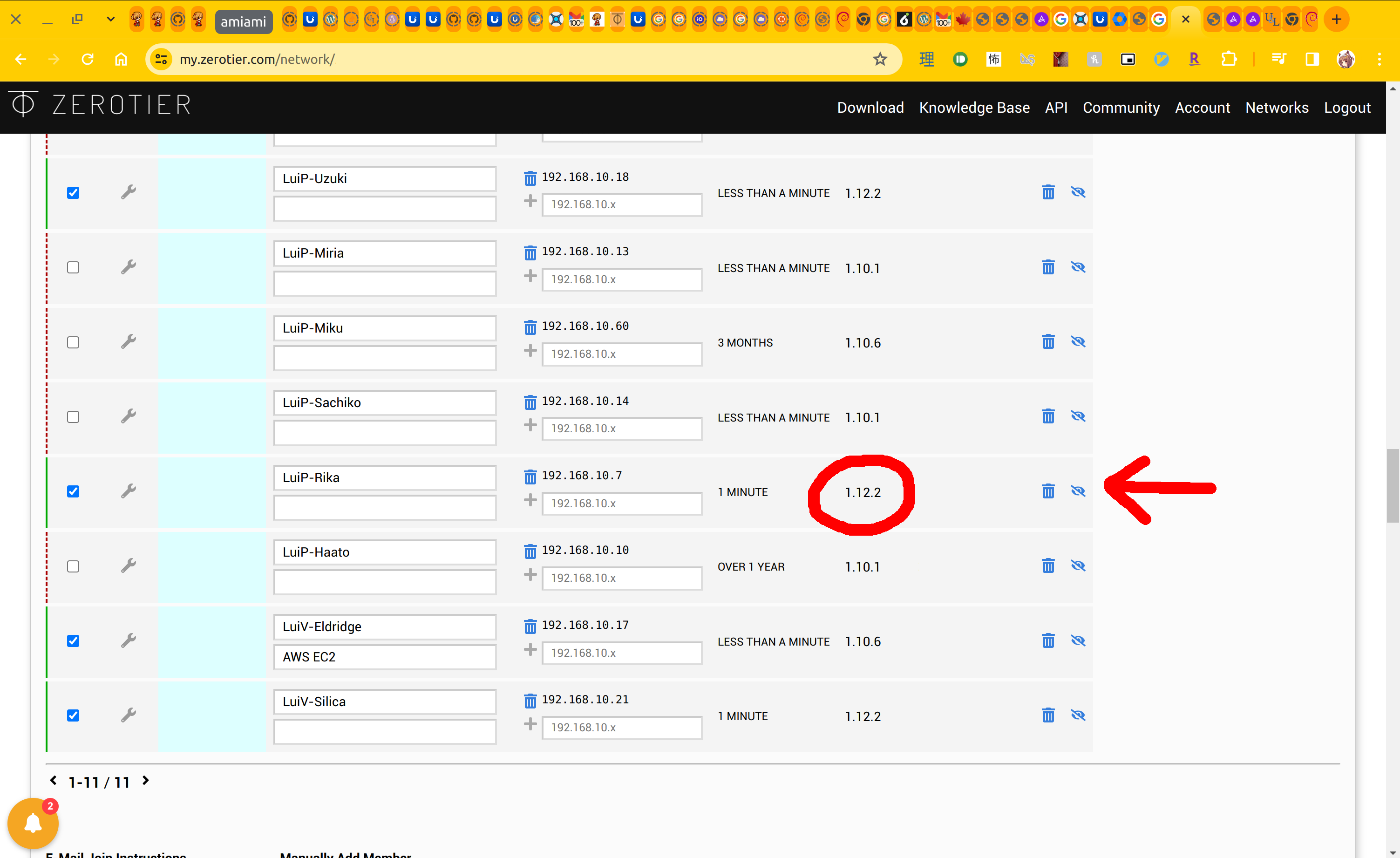
I restarted the ZeroTier service, and on ZeroTier Central, I can see the version update to the latest one that I installed:
Locally, I tested accessing an intranet page from other physical site that requires going through the ZeroTier network, and it still works!
That’s all I had this time around. I learned a little bit about the cross-compilation and Makefiles here, along with the packaging workflow with dpkg. I don’t use Debian at work, so the packaging stuff was sort of new but similar to what I’ve seen before; anyways it was cool to learn a little bit (albeit I only really scratched the surface here).
Until next time!
~Lui
Side note: near the end of my experimentation, I noticed that there were already Debian packages for arm64. I did try to install the package for the the z-release of Debian but it didn’t seem to work. Nonetheless, this was still an interesting journey.

Please post these packages so that we can use them.
Hello
Your post has attracted attention recently as many Unifi users would like to have a recent arm64 package.
Would you be willing to send me your latest compilation that worked on your Unifi ?
I would really appreciate.
Distributing the binary here probably isn’t the best; however, making a CI pipeline to compile the arm64 binary for UniFi has been on my backburner for a while. If there’s interest, I can find some time to push on it.
Hi Fred,
You’re welcome to give the artifacts from this build a try, it builds arm64. It is based off the steps from this guide and uses the latest dev.
Please free free to check the branch for the pipeline details and audit.
[…] is a follow up to Cross-compiling ZeroTier for arm64 Ubiquiti Devices. There was some interest in the comments to generate the Ubiquiti binaries and distribute; but I […]
Incase it helps anyone the Debian arm64 build for bullseye installs and works perfectly for me on my Unifi Dream Machine on latest updates. No need to compile.
https://download.zerotier.com/dist/debian/bullseye/zerotier-one_1.16.0-2_arm64.deb
With the help of Gemini I made a script to run at boot to install zerotier if needed, move it’s config folder to persistent storage and start zerotier (it should hopefully survive upgrades).
***Please note I am not an experienced coder, just a willing tinkerer so please check the code and use at your own risk***
***I would really appreciate any feedback on improving my logic***
To update zerotier with this script you need to change the variable PACKAGE_URL to the new build and run the script with the -u or –update argument
The following script is located at: “/data/on_boot.d/10-zerotier.sh”
#!/bin/bash
# Define variables for clarity and easy updates
PACKAGE_URL=”https://download.zerotier.com/dist/debian/bullseye/zerotier-one_1.16.0-2_arm64.deb”
WORKING_DIR=”/data/zerotier”
PACKAGE_FILE=”$WORKING_DIR/zerotier-one.deb”
#Below path is where zerotier expects to finds it’s config
PACKAGE_CONFIG_PATH=”/var/lib/zerotier-one”
# ———————————————————————
# UPDATE MODE -u or –update
# ———————————————————————
# Check if the first argument is –update or -u
if [[ “$1” == “–update” ]] || [[ “$1” == “-u” ]]; then
echo “— UPDATE MODE ENABLED — 🔄”
if [ -f “$PACKAGE_FILE” ]; then
echo “Found existing package file: $PACKAGE_FILE. Deleting to force redownload…”
# Use rm -f to force deletion without prompting
rm -f “$PACKAGE_FILE”
if [ $? -eq 0 ]; then
echo “Old package deleted successfully. ✅”
else
echo “Warning: Could not delete the old package. Proceeding anyway. ⚠️”
fi
else
echo “No existing package found. Proceeding with fresh download. ⬇️”
fi
fi
#———————————————————————-
# NORMAL MODE
#———————————————————————-
# 1. Ensure the directory exists
mkdir -p “$WORKING_DIR”
# 2. Conditional Download Check
if [ -f “$PACKAGE_FILE” ]; then
echo “ZeroTier package already exists at $PACKAGE_FILE. Skipping download. 💾”
else
echo “Package not found. Downloading ZeroTier package… ⏳”
curl –fail –silent –show-error \
“$PACKAGE_URL” \
–output “$PACKAGE_FILE”
# Check if download was successful
if [ $? -ne 0 ]; then
echo “Error: ZeroTier download failed. Exiting. ❌”
# The script should exit if the download fails, as the installation will also fail.
exit 1
fi
echo “Download complete. ✅”
fi
#3. Create condfig symlink for persistence
echo “Creating symlink for ZeroTier configuration path… 🔗”
# Remove existing directory if it exists and is not a symlink, before creating a new symlink
if [ -d “$PACKAGE_CONFIG_PATH” ] && [ ! -L “$PACKAGE_CONFIG_PATH” ]; then
echo “Warning: $PACKAGE_CONFIG_PATH directory exists. Backing up and removing it to create symlink.”
mv “$PACKAGE_CONFIG_PATH” “$PACKAGE_CONFIG_PATH.bak”
fi
# If the symlink doesn’t exist, create it.
if [ ! -L “$PACKAGE_CONFIG_PATH” ]; then
# Ensure the target directory for the config files exists
mkdir -p “$DOWNLOAD_DIR/config”
ln -s “$DOWNLOAD_DIR/config” “$PACKAGE_CONFIG_PATH”
else
echo “Symlink $PACKAGE_CONFIG_PATH already exists. Skipping link creation. ⏩”
fi
# 4. Install the ZeroTier package
echo “Installing ZeroTier package…”
sudo dpkg -i “$PACKAGE_FILE”
echo “Script finished. 🏁”